What Is Schema Markup? (A Simple Explanation for Non-Technical People)
Learn what schema markup is, why it matters for AI search visibility, and how Organisation, FAQ, Article, and HowTo schema improve AI citations.
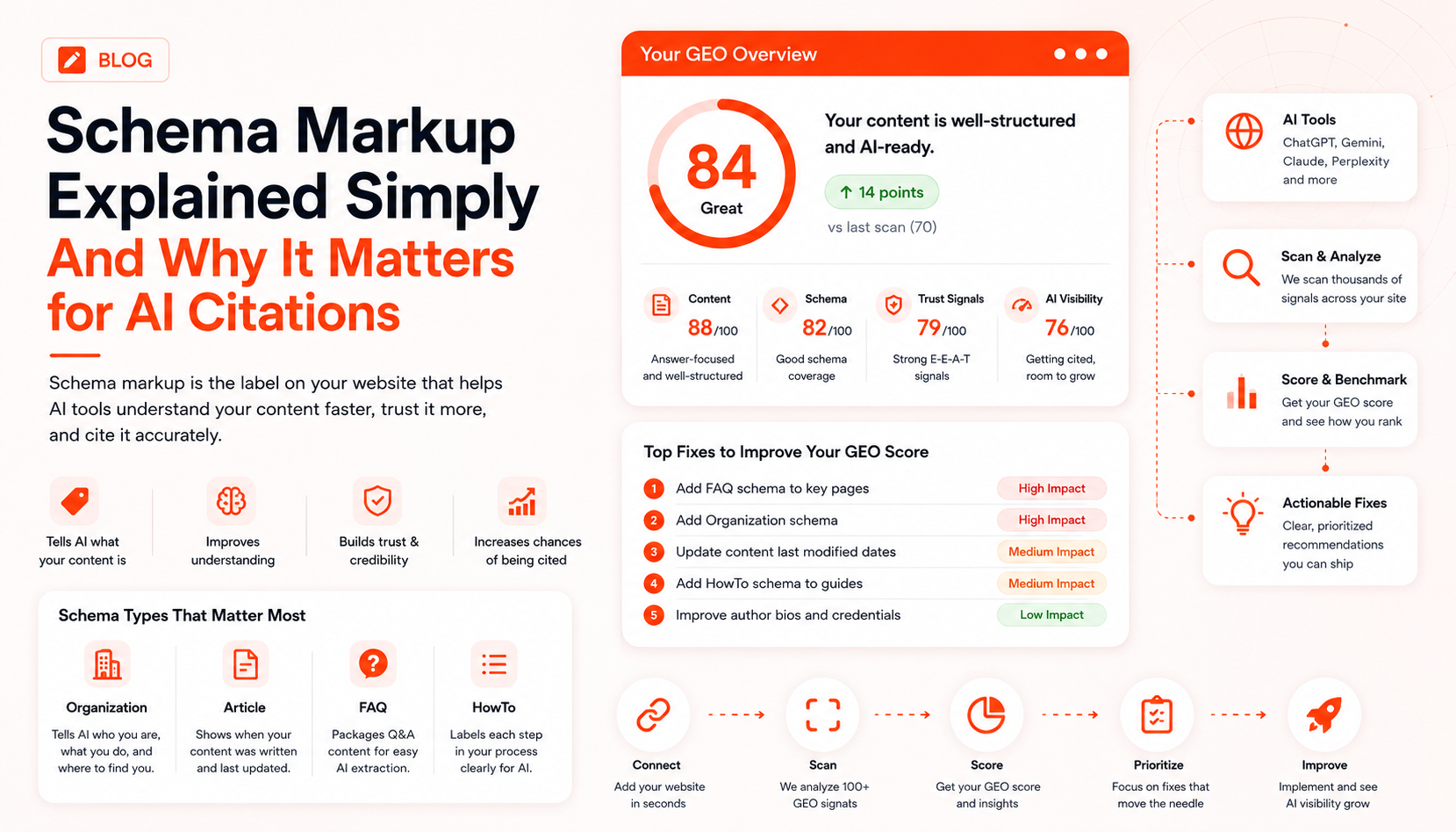
Schema markup is one of those terms that sounds technical and scary but is actually a simple idea once someone explains it properly.
This post does exactly that explains schema markup in plain English, why it matters for getting cited by AI tools like ChatGPT, and what you actually need on your website.
No coding knowledge required.
The Simple Explanation
Imagine you walk into a supermarket and pick up a tin of soup. The tin has a label on it: soup name, ingredients, nutritional information, best-before date, manufacturer details. All the key facts, clearly labelled.
Now imagine if products had no labels at all. A shop assistant would have to open each tin, taste it, and guess what it is. Slow, unreliable, and often wrong.
Schema markup is the label on your website. It tells AI tools and search engines exactly what your content is about, who wrote it, when it was last updated, and what category it belongs to without them having to guess.
Why Does This Matter for AI Search?
AI tools like ChatGPT and Perplexity are making decisions about which websites to cite in a fraction of a second. They're reading hundreds of pages to build one answer.
Pages that have clear schema labels are much faster and easier for AI tools to process. The AI doesn't have to guess what your page is about you've already told it. That makes your page more likely to be understood correctly and cited accurately.
Research shows that pages with good schema markup are significantly more likely to be cited by AI tools than similar pages without it.
What Are the Most Important Types of Schema?
You don't need every type of schema just the ones most relevant to your website. Here are the ones that matter most for AI visibility:
Organisation Schema
This is the most important one for almost every business.
It tells AI tools who your company is. It includes your business name, what you do, your website address, and links to your social media profiles and other trusted places that mention you (like LinkedIn or Wikipedia if you have one).
Without this, AI tools have to piece together who you are from whatever they can find on your pages. With it, you're handing them a clear introduction.
Article Schema
This goes on your blog posts and content pages.
It tells AI tools when the article was written, when it was last updated, and who wrote it. This is especially important for freshness AI tools use the "last updated" date to decide how current your information is. Keeping this date up to date (and actually updating the content to match) helps your pages stay competitive.
FAQ Schema
This is one of the most powerful for AI citations.
It packages your question-and-answer content in a special format that AI tools find incredibly easy to read. If you have a FAQ section on a page, adding FAQ schema essentially pre-formats those Q&As for AI tools to pull directly into their answers.
If you have pages that answer common questions and you should FAQ schema is a quick win.
How To Schema
Similar to FAQ schema, but for step-by-step instructions.
If you have any "how to" content how to set up your product, how to apply for something, how to do a specific task HowTo schema labels each step clearly so AI tools can extract and present that process accurately.
Do I Need to Code This Myself?
Not necessarily. There are several ways to add schema without touching code:
WordPress plugins If your site runs on WordPress, plugins like Yoast SEO, RankMath, or Schema Pro let you add schema through a simple interface. No coding needed.
CMS built-in tools Many modern website platforms (Squarespace, Wix, Shopify, Webflow) have schema built in or available through settings.
Signalor Signalor's audit tells you exactly which schema is missing on each of your pages and, for supported platforms, can help you implement it directly.
Google's Structured Data Markup Helper A free tool from Google where you highlight parts of your page and tag them, then it generates the code for your developer.
How Do I Know If I Already Have Schema?
You can check any page on your website using Google's free Rich Results Test tool (search for "Google Rich Results Test"). Paste your URL in, and it will show you what schema, if any, is already on that page.
Alternatively, Signalor checks schema as part of every audit and gives you a clear breakdown of what's present, what's missing, and how much each addition would improve your GEO score.
Quick Recap
- Schema markup is like a label on your website that tells AI tools exactly what your content is
- Pages with good schema are more likely to be cited by AI tools like ChatGPT and Perplexity
- The most important types are: Organisation, Article, FAQ, and HowTo schema
- You don't need to code it yourself WordPress plugins and CMS tools make it accessible
- You can check what schema you already have using Google's free Rich Results Test
Signalor checks your schema as part of every audit and tells you exactly what's missing. Get your free audit →
Get started
Turn AI search into your highest-intent pipeline
Run a free GEO audit, track citations across models, and ship fixes that change how ChatGPT, Perplexity, and Gemini talk about you.
No credit card required · 50 free prompts · Cancel anytime
